
What if my authorhip and rights could be known with a simple mouse clic?
More or less this is what Safe Creative wants to help to do with contents in the Internet and to try and refine the concept we have launched and example of what in the future will be a complete system to indentify authorship and rights of contents in the Internet when they are registered.
We now start as a proof of concept with and example of a verbatim copy of a registered copy of a picture without redimension, crop or anything else. Soon we will include the technology to identify modified contents including video, music, text, etc.
How does it work?
You have basically two prior steps to perform:
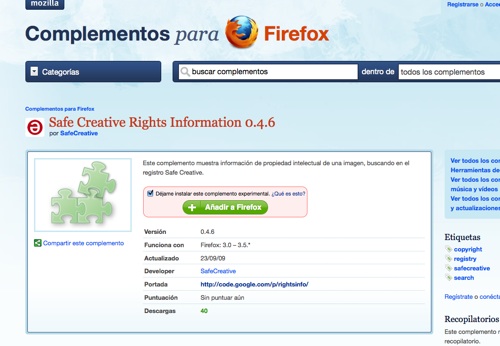
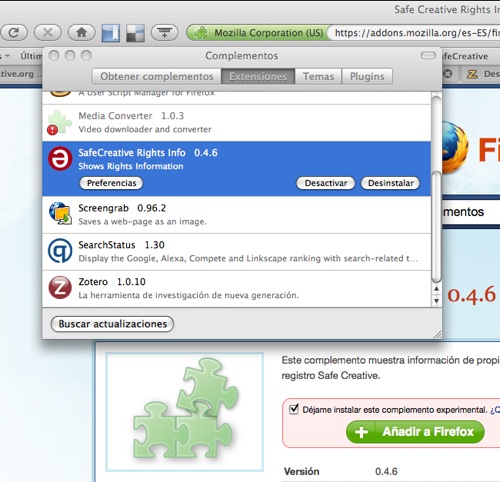
1.- To instal our experimental plugin – https://addons.mozilla.org/es-ES/firefox/addon/14452 – in your Mozilla Firefox (for versions from 3.0 to 3.5). If you don’t have Firefox in your computer you might download it here: http://www.mozilla.com/firefox/. Restart Firefox to activate the plugin.
2.- Register your pictures at Safe Creative (http://www.safecreative.org). Wait 24 hours for the registration to be finished. Remember that you can register as many pictures (and other works) that you want for free and of course the more you register, the better.

Now if you want to try the plugin just upload a verbatim copy of the registered image to the Web, you don’t need to download the picture from Safe Creative first, but just a verbatim copy you might have in your computer. You can upload the picture to a blog, zooomr.com, flickr.com or any other kind of web hosting service that allows to see original sizes of uploaded works.
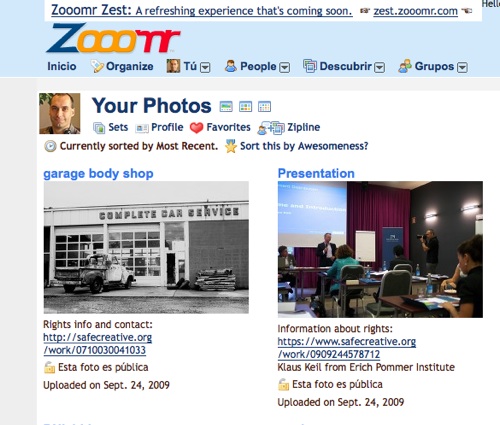
Open the original size picture page with your browser. Remember that right now we only identify verbatim copies of the pictures, so it must be the original size you open or it will not work.
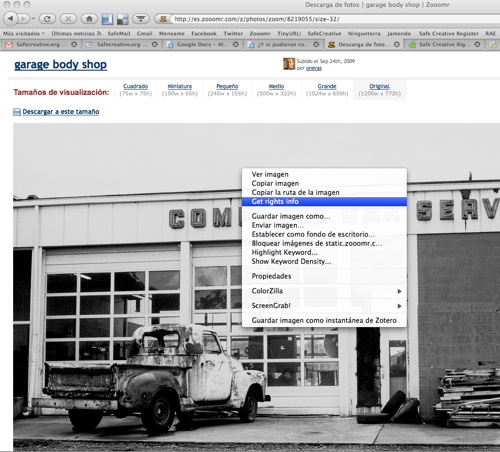
Put you mouse over the picture and hit the right button to select from the contextual menu “get rights info”. If everything goes well a window will open with the basic work information: Title (the title at the registry), author and license. If you hit any of those links you will go to the Safe Creative registration page with the rest of the information.
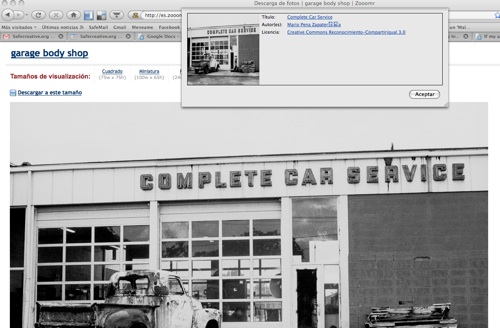
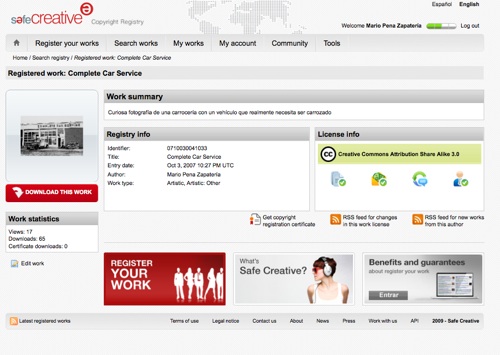
Since the plugin is being tested and this is a very basic example of what we plan to achieve it’s possible that in occasions it doesn’t return information. We will be fixing all issues as they appear so feedback us so we can improve your experience. Also notice that this is an open source plugin and you can download the source code to make your own version, improvements and even to create entirely new plugins or applications to communicate with Safe Creative’s API.
Set the plugin and try with this picture:

2 Replies to “What if my authorhip and rights could be known with a simple mouse clic?”