
Register from your desktop
This is the first lab prototype feature: a browser window which allows you to drag and drop files from your desktop to be registered.
How it works:
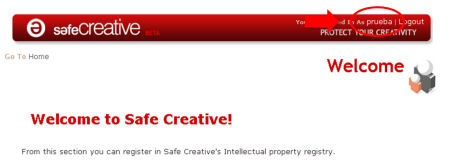
1.- Select your personal information page by clicking on your user name.
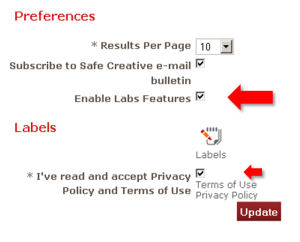
2.-Select the “Enable Labs Features” checkbox and update, but first don’t forget to accept the Privacy Policy and Terms of use
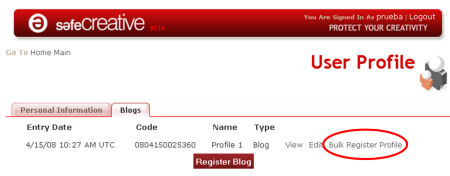
3.- Now at blogs tab, also in personal information section, you can write a new blog (profile). When done, next to “view” and “edit” options you will see the “Bulk Register Profile” (see picture). By clicking on it you will get a browser window to drag and drop your file, which will be registered with the profile options (type of license, public or private register…)
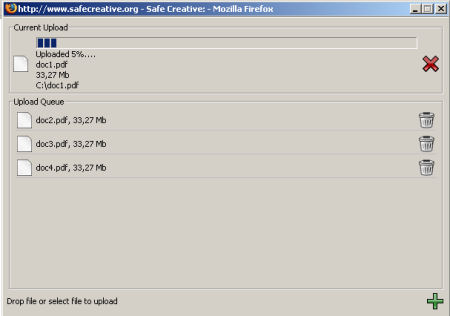
4.- Accept the safecreative applet installation and…
5.- You can drag and drop the files in the new window.
Enjoy it!
